
Faculty Support and Services
Supporting faculty teaching CSUEB courses (face-to-face, hybrid, and online)
Online Campus offers a range of support, services, and resources to help faculty teach CSUEB courses (face-to-face, hybrid, and online).
Browse faculty workshops →
Canvas, accessibility, AI, course design, and Quality Matters certification - the full calendar.
Live: Digital Accessibility Dashboard →
Track CSUEB's accessibility compliance by college, department, and course. Updated regularly.
For Canvas or learning management system related support, please submit a ticket or contact us using the options below.
How to get help
- Email for Online Campus support: canvas@csueastbay.edu
- Online Campus phone: 510-885-2700
- Canvas 24/7 technical support: 1-866-325-0853 or 24/7 Canvas live chat
- Email for general questions: online@csueastbay.edu
What would you like to do?
Choose an option to go directly to the right resource:

I need help with Canvas or my course shell
Submit a ticket to the Online Campus team for Canvas, course shells, or online teaching support.
I need Canvas support, resources, or tutorials
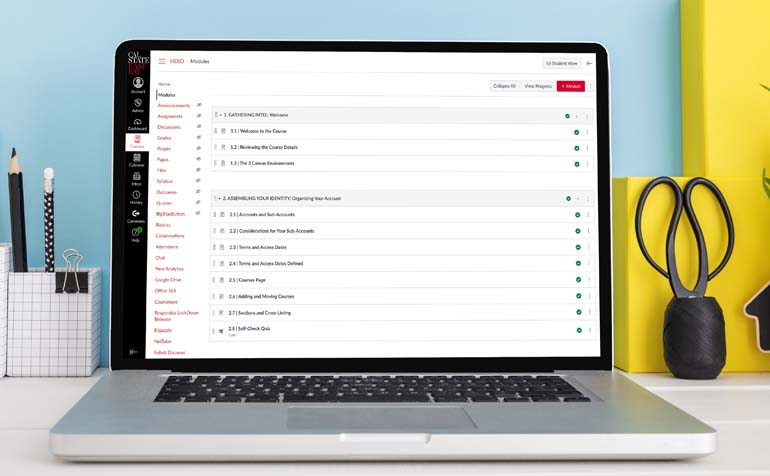
Find Canvas documentation, Screensteps tutorials, instructor and student guides, and browser checks.

I want to meet accessibility and Title II requirements
Learn about ADA Title II, WCAG 2.1 AA, course accessibility expectations, and support for remediation.

I have questions about AI in teaching and learning
Explore AI tools, CSU systemwide resources, suggested syllabus policies, and strategies for AI aware teaching.

I want to design or redesign my Canvas course
Get guidance on course design, workload, activities, and quality Canvas-based teaching at CSUEB practices.

I am interested in quality assurance and course certification
Learn about the Online and Hybrid Course Quality Assurance Program, training, and course certification.

I need help with external tools and applications
See the list of tools that integrate with Canvas and find guides for common learning technologies.

I want to explore other teaching and learning resources
Browse additional resources, including faculty development, online teaching tips, and student support information.
Key focus areas for Canvas-based teaching at CSUEB
Online Campus partners with departments and campus units to support high quality, accessible, and engaging CSUEB courses (face-to-face, hybrid, and online). Use the links below to dive deeper into specific focus areas.
Course design and quality
Accessibility and student success
Tools, tutorials, and help guides
Our eLearning ecosystem
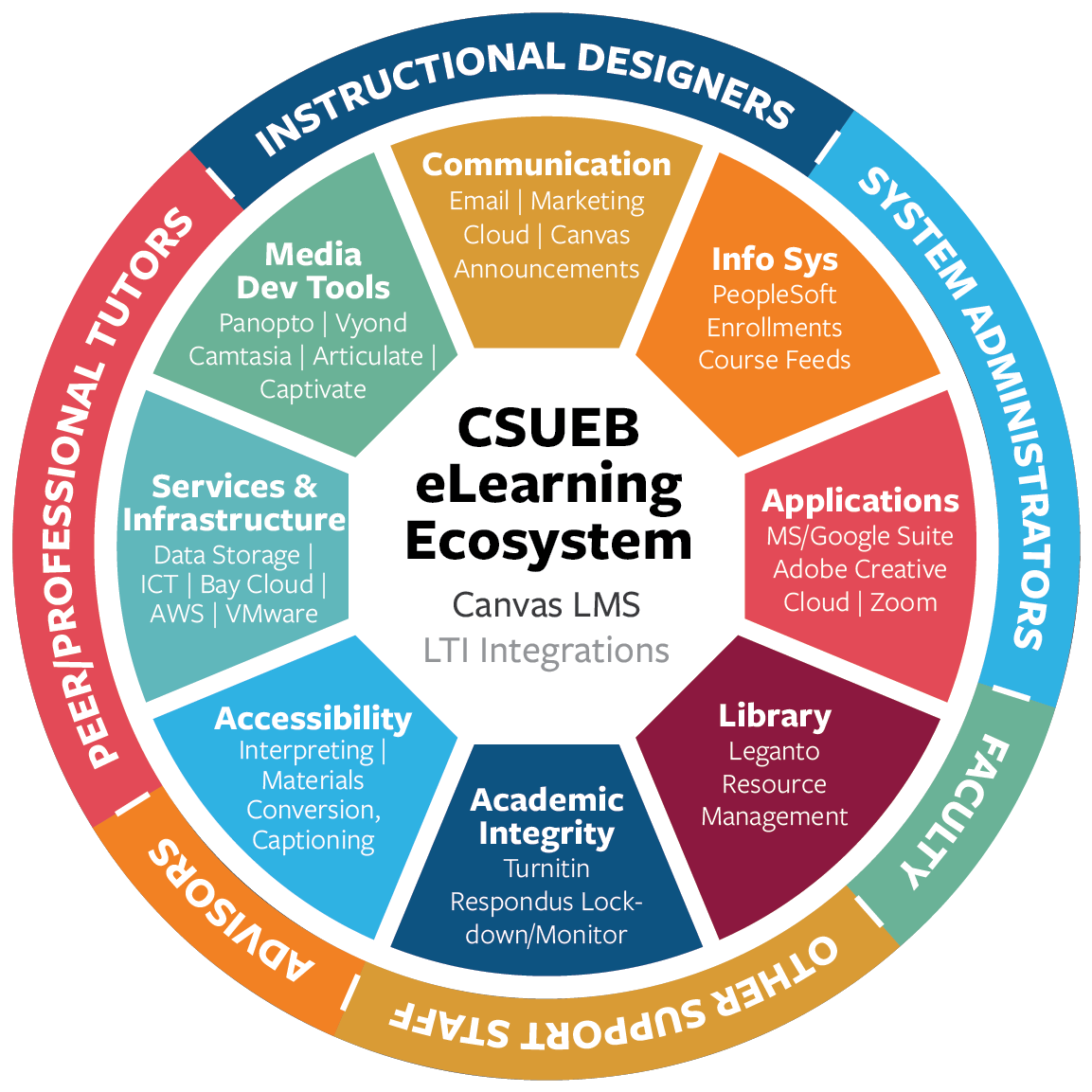
Online Campus supports a modern eLearning ecosystem centered on Canvas and integrated tools. The ecosystem connects:
- Instructional designers and eLearning specialists
- Faculty and academic departments
- Advisors, peer and professional tutors, and student support services
- Digital tools and technologies for teaching and learning
Together, these partners support engaging and accessible learning experiences, with Canvas as the core learning management system.
Office of the Online Campus
General inquiry
LI 2800
25800 Carlos Bee Boulevard
Hayward, CA 94542
Email: online@csueastbay.edu
Website: https://www.csueastbay.edu/online/
Key contacts
Administrative Assistant
Julie De Lima
Phone: 510-885-3882
Email: julie.delima@csueastbay.edu
Sr. eLearning Specialist
Cheryl Saelee
Phone: 510-885-4878
Email: cheryl.saelee@csueastbay.edu
eLearning Specialists
Serena Kohgadai
Phone: 510-885-2562
Email: serena.kohgadai@csueastbay.edu
Shara Cheng
Phone: 510-885-4237
Email: shara.cheng@csueastbay.edu
Learning system administration and media
Dan LeGate, Learning System Administrator, Programmer, Analyst
Email: Dan.LeGate@csueastbay.edu
Manpreet Chatha, LMS Admin and User Consultant
Phone: 510-885-3717
Email: manpreet.chatha@csueastbay.edu
Zach Oshri, LMS User Consultant and ATI Coordinator
Phone: 510-885-3884
Email: zach.oshri@csueastbay.edu